
BlinkCam Support
Dry Eyes
Background information about blinking, screen use and eye comfort.
This page explains how blinking keeps your eyes comfortable, why screen work can make them feel dry, and some simple things that may help. It is general information, not medical advice. If you have problems with your eyes, see an optometrist, doctor or other eye care professional.
Your tears and blinking

The front of your eye is covered by a thin tear film with three layers: a mucin layer next to the eye, which helps tears stick to it; a watery middle layer from the tear glands; and a thin oily layer on top from the meibomian glands along the edges of your eyelids, which slows evaporation.
Each time you blink, your eyelids spread a fresh layer of tears across your eye, keeping it moist, clear and comfortable. Dry eye happens when your eyes don’t make enough tears, or the tears evaporate too quickly. It has many possible causes, including age, hormonal changes, some medicines, contact lenses, dry or air-conditioned rooms and some health conditions.
Screens and blinking
Studies have found that people blink much less often when they concentrate on a screen, and more of their blinks are incomplete. With fewer full blinks, the tear film has longer to evaporate between blinks, which can leave your eyes feeling dry, tired or irritated by the end of the day.
Everyday tips
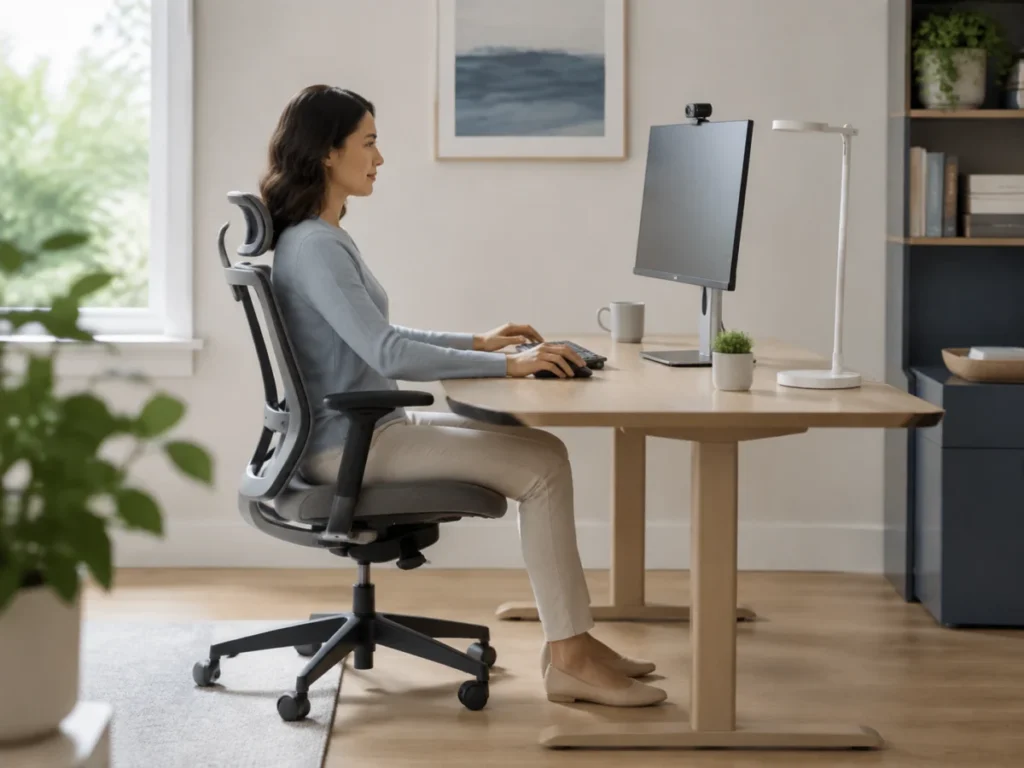
- Take regular breaks. Follow the 20/20/20 rule: every 20 minutes, look at something about 20 feet (6 metres) away for 20 seconds. Get up and move around now and then.
- Blink fully, especially when you notice your eyes feeling dry.
- Set up your screen about an arm’s length away, with the top of the screen at or slightly below eye level, and sit comfortably upright.
- Reduce glare from windows and overhead lights. If you wear glasses, an anti-reflective coating can cut reflections in your lenses.
- Keep air off your eyes. Point fans, heaters and air-conditioning vents away from your face, and consider a humidifier in a dry room.
- Drink enough water through the day.
- Look after your eyelids. A warm compress on your closed eyelids for a few minutes, and gently cleaning along the lash line, may help if your eyelid glands are blocked.
- Ask a pharmacist about eye drops. Lubricating drops (artificial tears) can relieve dryness for a while. Preservative-free drops suit sensitive eyes.
How BlinkCam helps
BlinkCam measures how often you blink as you work and gives you a gentle reminder when your blink rate drops below your alert level: a quiet notification, or a screen effect that clears when you blink. It can also remind you to take a 20/20/20 break, and shows how your blinking changes over the day and from day to day.
If you notice you are mostly blinking when BlinkCam reminds you, it may be time for a proper break away from the screen. See how BlinkCam works.
When to see a professional
See an optometrist, doctor or pharmacist if your eyes are painful or very red, your vision changes, or dryness doesn’t improve or keeps coming back. Some causes of dry eye need treatment.
Further reading
- Dry eyes (NHS)
- What is dry eye? (American Academy of Ophthalmology)
- Dry eye (US National Eye Institute)
- Computers, digital devices and eye strain (American Academy of Ophthalmology)
BlinkCam is not connected with these organisations. BlinkCam is not a medical device and does not diagnose or treat any condition.
Any other ideas? Please contact us with your suggestions.